


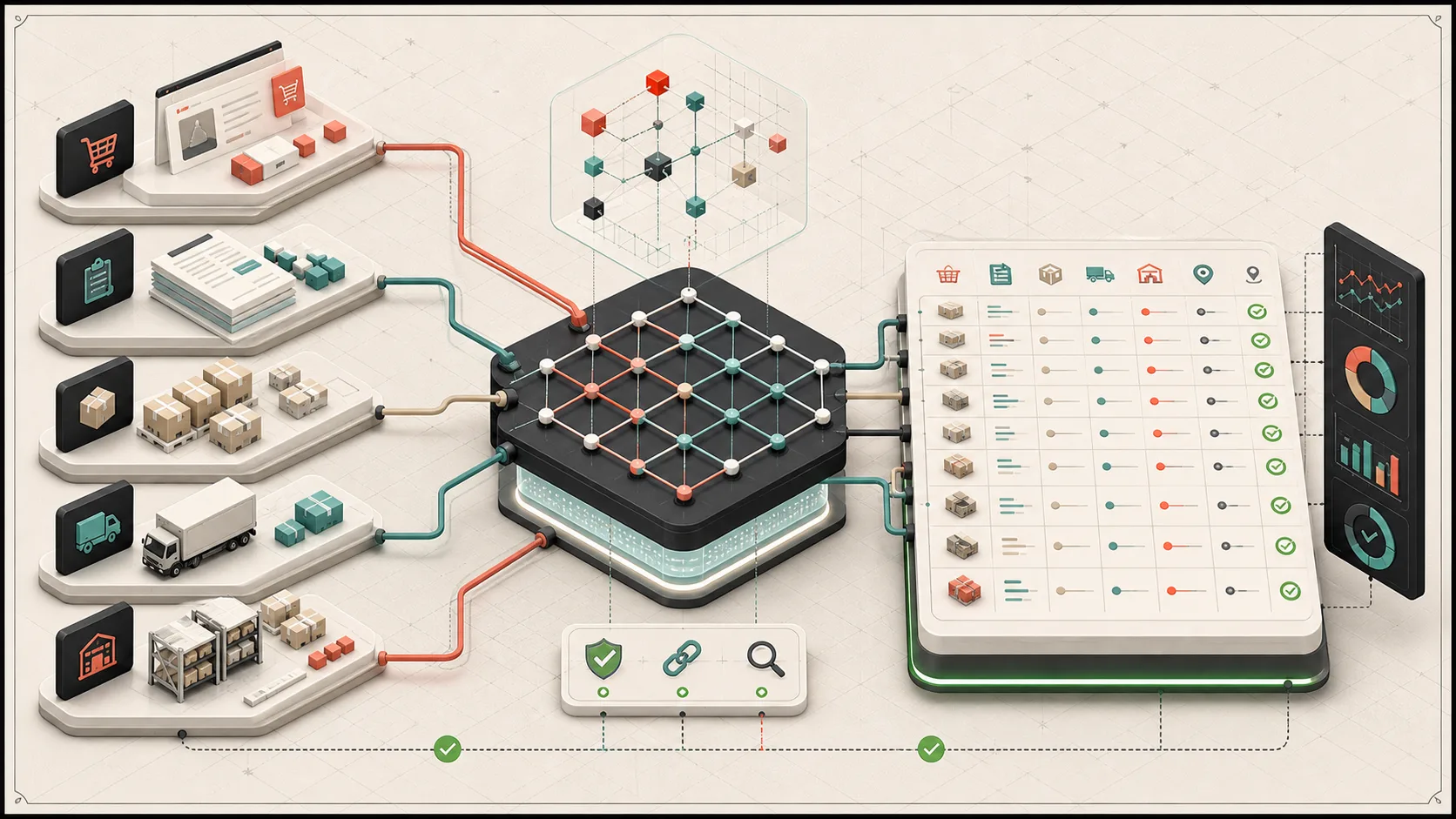
NetSuite SuiteQL becomes especially useful when an e-commerce integration needs more than a single record lookup. A Shopify, warehouse, shipping, or operations workflow often needs to answer questions that cross records: Which sales order matches this order number? Which lines are still open? Which item fulfillment created this tracking number? Which lot and bin has enough available inventory?
The examples below are cleaned-up patterns from real NetSuite integration work. They are meant to show how to query sales orders, transaction lines, item fulfillments, packages, pending quantities, and inventory availability through the SuiteQL REST endpoint.
For broader connector, middleware, and recovery work around these patterns, see Shopify-NetSuite integration consulting.
Why SuiteQL matters for e-commerce integrations
The NetSuite record REST API is useful when you already know the internal ID of the record you want to read or update. SuiteQL is better when you need to search, join, report, reconcile, or build operational dashboards.
For e-commerce and fulfillment systems, SuiteQL is a practical fit for:
- Matching an external order number to a NetSuite sales order
- Reading sales order lines that are printable, fulfillable, or not fully shipped
- Finding pending fulfillment orders by warehouse location
- Joining item fulfillments back to sales orders
- Pulling package tracking numbers and carrier metadata
- Reporting partially fulfilled lines with pending quantities
- Checking lot and bin inventory availability before creating fulfillments
That is why SuiteQL often becomes the reporting and reconciliation layer for serious NetSuite integrations.
Calling the SuiteQL REST endpoint from Node.js
The SuiteQL REST endpoint accepts SQL in the q property of a POST body. In a Node.js service, a small helper keeps pagination and error handling out of the individual query functions.
interface SuiteQlResponse<T> {
  items: T[]
  totalResults: number
  offset: number
  hasMore: boolean
  count: number
}

async function runSuiteQlAll<T>(query: string): Promise<SuiteQlResponse<T>> {
  const limit = 1000
  let offset = 0
  const items: T[] = []

  while (true) {
    const response = await netsuiteApi.request({
      path: `query/v1/suiteql?limit=${limit}&offset=${offset}`,
      method: 'POST',
      body: JSON.stringify({ q: query }),
    })

    const data = response.data
    items.push(...(data?.items || []))

    if (!data?.hasMore) {
      return {
        ...data,
        items,
        count: items.length,
        hasMore: false,
        offset: 0,
      }
    }

    offset += limit
  }
}
That helper is intentionally boring. The important part is that every report can return all rows without copying pagination logic into each example.
Example 1: Find a sales order by order number
Most external systems know a store-facing order number, not the NetSuite internal ID. This query searches both tranid and otherrefnum, then uses BUILTIN.DF to return a readable status label.
SELECT
  transaction.id,
  transaction.tranid,
  transaction.trandate,
  transaction.otherrefnum,
  transaction.memo,
  BUILTIN.DF(transaction.status) AS status,
  transaction.entity
FROM transaction
WHERE transaction.type = 'SalesOrd'
  AND (
    transaction.tranid LIKE '%<ORDER_NUMBER>%'
    OR transaction.otherrefnum LIKE '%<ORDER_NUMBER>%'
  )
This is the foundation for many integration workflows: find the sales order, then use the internal ID for transforms, fulfillment creation, billing checks, or operational reporting.
For a deeper walkthrough, see Query NetSuite Sales Orders and Line Items with SuiteQL.
Example 2: Read sales order line items
Once you have a sales order, the next question is usually about line-level state. This query joins transaction to transactionline and item, then filters out non-printing lines.
SELECT
  t.id AS salesOrderId,
  t.tranid AS salesOrderNumber,
  tl.id AS orderLine,
  BUILTIN.DF(t.status) AS status,
  i.itemid AS itemName,
  tl.item AS itemId,
  tl.memo,
  tl.cseg1,
  tl.quantity,
  tl.rate,
  tl.inventorylocation,
  tl.isfullyshipped,
  tl.quantitypacked,
  tl.donotprintline
FROM transaction t
JOIN transactionline tl ON t.id = tl.transaction
JOIN item i ON tl.item = i.id
WHERE t.type = 'SalesOrd'
  AND t.tranid = '<ORDER_NUMBER>'
  AND tl.donotprintline = 'F'
That line-level detail is what a fulfillment integration needs before deciding which lines can be shipped, skipped, closed, or reconciled.
Example 3: List pending fulfillment orders by location
Warehouse integrations often need a queue of sales orders for a specific location. In NetSuite, the transaction main line can carry the location used for the order header.
SELECT
  transaction.id,
  transaction.tranid,
  transaction.location,
  transaction.trandate,
  transaction.otherrefnum,
  transaction.memo,
  BUILTIN.DF(transaction.status) AS status,
  mainline.location AS locationId
FROM transaction
LEFT JOIN transactionline mainline
  ON mainline.transaction = transaction.id
  AND mainline.id = 0
WHERE transaction.type = 'SalesOrd'
  AND transaction.status IN ('B', 'D', 'E')
  AND mainline.location = <LOCATION_ID>
  AND transaction.trandate >= '<START_DATE>'
ORDER BY transaction.trandate DESC
The status codes are account and workflow sensitive, so treat them as part of your integration contract. The production pattern is to keep status filters explicit and document why each one belongs in the queue.
Example 4: Track item fulfillments and package tracking
Item fulfillments can be connected back to sales orders through PreviousTransactionLineLink. Package tracking information lives on itemfulfillmentpackage.
SELECT
  salesOrder.trandate AS sales_order_date,
  salesOrder.id AS sales_order_id,
  salesOrder.tranid AS sales_order_document_number,
  NVL(salesOrder.otherrefnum, '') AS sales_order_reference_number,
  salesOrder.linkedtrackingnumbers AS linked_tracking_numbers,
  NVL(pkg.packagetrackingnumber, '') AS package_tracking_number,
  NVL(pkg.packagedescr, '') AS package_description
FROM transaction fulfillment
INNER JOIN PreviousTransactionLineLink ptll
  ON ptll.NextDoc = fulfillment.id
INNER JOIN transaction salesOrder
  ON salesOrder.id = ptll.PreviousDoc
  AND salesOrder.type = 'SalesOrd'
LEFT JOIN itemfulfillmentpackage pkg
  ON pkg.itemfulfillment = fulfillment.id
WHERE fulfillment.type = 'ItemShip'
  AND salesOrder.tranid = '<ORDER_NUMBER>'
ORDER BY salesOrder.tranid DESC,
  fulfillment.trandate DESC,
  pkg.packagetrackingnumber ASC
This kind of query is useful when customer service, warehouse operations, or downstream apps need a shipping history without opening NetSuite manually.
For the full tracking article, see Track NetSuite Item Fulfillments and Shipping Packages with SuiteQL.
Example 5: Find partially fulfilled pending items
Partial fulfillment reporting is a good example of why SuiteQL is valuable. You can calculate ordered quantity, fulfilled quantity, and remaining quantity in one query.
SELECT
  MAX(item.itemid) AS sku,
  MAX(NVL(item.displayname, item.itemid)) AS item_name,
  MAX(salesOrder.id) AS order_id,
  MAX(salesOrder.tranid) AS order_number,
  ABS(NVL(MAX(salesOrderLine.quantity), 0))
    - NVL(SUM(CASE
        WHEN fulfillment.id IS NOT NULL
        THEN ABS(NVL(fulfillmentLine.quantity, 0))
        ELSE 0
      END), 0) AS qty
FROM transaction salesOrder
INNER JOIN transactionline salesOrderLine
  ON salesOrderLine.transaction = salesOrder.id
INNER JOIN item
  ON item.id = salesOrderLine.item
LEFT JOIN PreviousTransactionLineLink ptll
  ON ptll.PreviousDoc = salesOrder.id
  AND ptll.PreviousLine = salesOrderLine.id
LEFT JOIN transaction fulfillment
  ON fulfillment.id = ptll.NextDoc
  AND fulfillment.type = 'ItemShip'
LEFT JOIN transactionline fulfillmentLine
  ON fulfillmentLine.transaction = fulfillment.id
  AND fulfillmentLine.id = ptll.NextLine
WHERE salesOrder.type = 'SalesOrd'
  AND salesOrderLine.item IS NOT NULL
  AND salesOrderLine.donotprintline = 'F'
  AND salesOrderLine.fulfillable = 'T'
  AND salesOrderLine.isfullyshipped = 'F'
  AND salesOrderLine.isclosed = 'F'
GROUP BY salesOrder.id, salesOrderLine.id
HAVING ABS(NVL(MAX(salesOrderLine.quantity), 0))
  - NVL(SUM(CASE
      WHEN fulfillment.id IS NOT NULL
      THEN ABS(NVL(fulfillmentLine.quantity, 0))
      ELSE 0
    END), 0) > 0
ORDER BY MAX(salesOrder.trandate) DESC
That result can feed a CSV export, a dashboard, or an exception queue for warehouse and customer support teams.
For the focused report walkthrough, see Find Partially Fulfilled Sales Orders in NetSuite with SuiteQL.
Example 6: Read lot and bin inventory availability
Lot and bin checks are common when a fulfillment system sends lot numbers back to NetSuite. The core pattern joins inventorynumber, ItemInventoryBalance, and item.
SELECT
  inventoryNumber.id AS id,
  inventoryNumber.inventorynumber AS lotNumber,
  inventoryNumber.item AS itemId,
  item.itemid AS itemNumber,
  item.displayname AS itemName,
  ItemInventoryBalance.quantityAvailable AS quantityAvailable,
  ItemInventoryBalance.location AS locationId,
  ItemInventoryBalance.binnumber AS binNumber
FROM inventorynumber
INNER JOIN ItemInventoryBalance
  ON ItemInventoryBalance.inventoryNumber = inventoryNumber.id
INNER JOIN item
  ON inventoryNumber.item = item.id
WHERE inventoryNumber.inventorynumber LIKE '%<LOT_NUMBER>%'
  AND item.itemid = '<ITEM_NUMBER>'
  AND ItemInventoryBalance.location = <LOCATION_ID>
  AND ItemInventoryBalance.binNumber = <BIN_NUMBER_ID>
The existing article Reading NetSuite Inventory Availability with SuiteQL covers this pattern in more detail.
The query answers what NetSuite currently reports. The separate Shopify and NetSuite inventory architecture guide explains how on-hand, available, reserved, committed, and sellable quantities should be owned and reconciled before one of those values is published to a channel.
Practical SuiteQL notes from production integrations
A few rules make SuiteQL integrations easier to maintain:
- Use
BUILTIN.DF(...)when the consumer needs display values instead of internal IDs. - Escape string input before interpolation, and restrict numeric filters to actual numbers.
- Keep status filters explicit. Do not assume every NetSuite account uses the same operational meaning for each status.
- Use
limitandoffseton large reports. - Prefer targeted columns over
SELECT *, especially when the result feeds dashboards or CSV exports. - Keep account-specific IDs in configuration rather than inside reusable examples.
For interpolated string filters, a small escaping helper is better than raw concatenation:
function escapeSuiteQlString(value: string): string {
  return (value || '').replace(/'/g, "''")
}
SuiteQL does not remove the need for careful integration design. It gives you a powerful way to ask cross-record questions, but you still need clear status rules, location rules, item mapping, and retry behavior around the queries.
Building better NetSuite integrations
The strongest NetSuite integrations treat SuiteQL as a reporting and reconciliation tool, not just a search shortcut. Sales order lookups, fulfillment tracking, pending item reports, and inventory checks all become more reliable when the SQL is written around the operational workflow.
If you are connecting NetSuite with Shopify, a warehouse management system, a shipping platform, or a custom e-commerce backend, this series gives you a starting point for the most common SuiteQL patterns.
For the processing architecture around those queries, see the Shopify-to-NetSuite order sync guide.