

Shopify + NetSuite integration architecture
Make Shopify and NetSuite Work Like One Reliable Commerce Platform
Principal-level Shopify and NetSuite integration consulting for reliable order, payment, inventory, fulfillment, refund, reconciliation, and recovery workflows.
Orders, payments, inventory, fulfillment, refunds, and customer data cross several system boundaries. The difficult part is not making API calls. It is defining ownership, identifiers, failure behavior, retries, reconciliation, and recovery when those systems disagree.
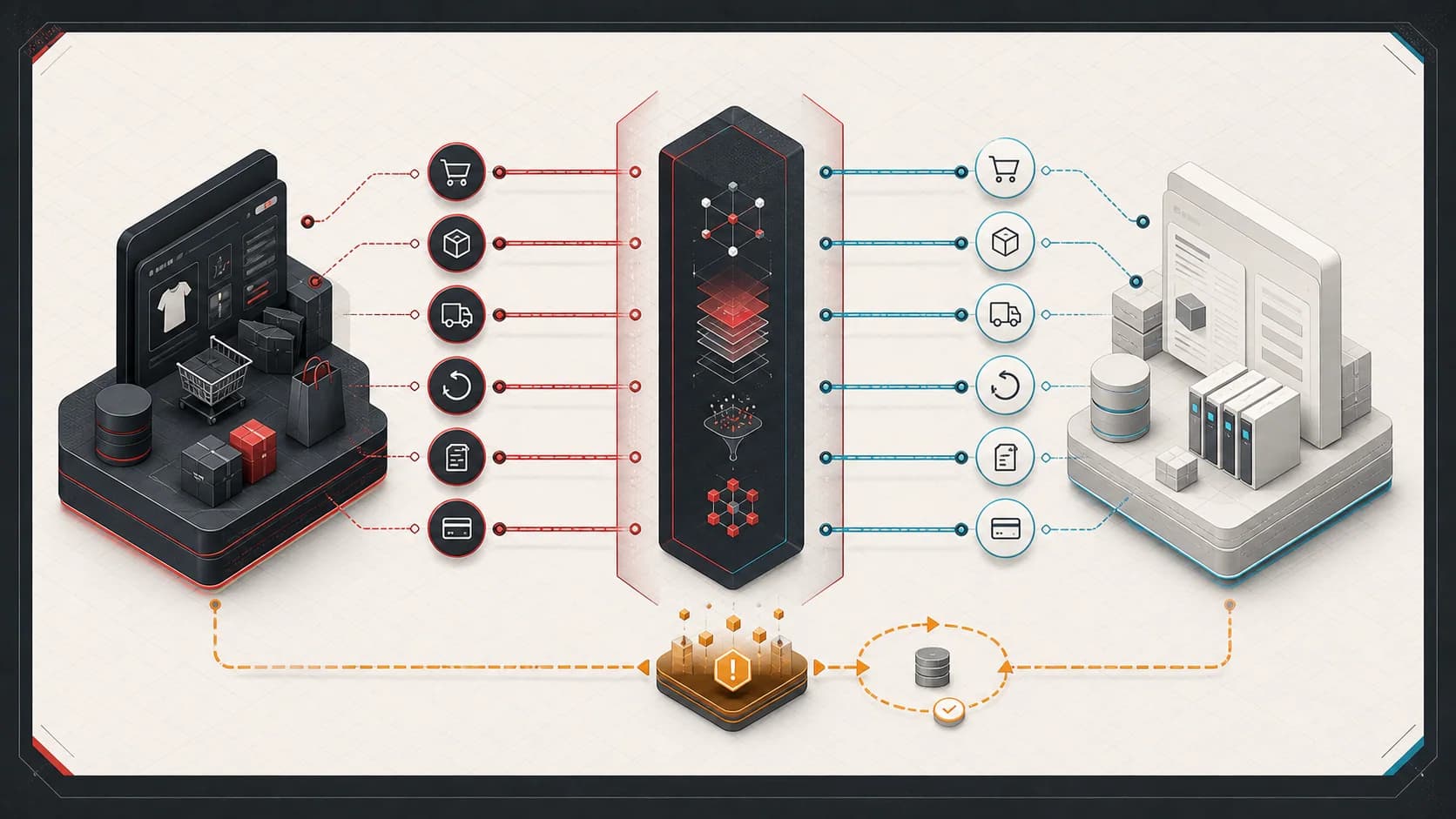
Reliable
Failures are classified, retried safely, and prevented from duplicating business records.
Observable
Orders and financial events can be traced across systems with shared identifiers.
Recoverable
Operators have explicit exception, replay, reconciliation, and manual recovery paths.
Where Shopify + NetSuite Integrations Fail
These are not inevitable problems, and a standard connector can be the right answer for standard flows. Risk appears when business-specific rules, timing, or failure behavior are left implicit.
- Duplicate orders appear after webhook redelivery, application retry, operator replay, or an ambiguous timeout.
- An order is created only partially because customer, item, discount, tax, bundle, or location mapping fails mid-workflow.
- Payments, refunds, shipping charges, discounts, gift cards, or taxes disagree between commerce and financial records.
- Available inventory drifts because locations, reservations, fulfillment timing, returns, and adjustments have unclear ownership.
- Shopify, NetSuite, a warehouse, and a carrier each report a different fulfillment state or identifier.
- Retry storms, rate limits, duplicate webhooks, and out-of-order events create concurrency that the happy path never modeled.
- SKU, variant, bundle, component, and external-record identifiers are mutable, missing, or interpreted differently.
- Finance and operations reconcile with spreadsheets because logs show API activity but not the business outcome.
When This Is Not the Right Fit
A clear boundary protects both sides from starting work that does not need this kind of architecture involvement.
- The standard connector supports the flow and the issue can be resolved through documented configuration.
- The need is a one-time data cleanup rather than a recurring integration or recovery problem.
- There are no representative failures, record examples, or system owners available for diagnosis.
- The requested solution assumes every working integration must be replaced before the exception path is understood.
Observable Engagement Outcomes
The result should be reviewable in the system, operating workflow, or written decision—not a projected benefit without a baseline.
Explicit ownership
A defensible source of truth for each record, state transition, identifier, and recovery decision.
Traceable operations
Representative orders, payments, refunds, fulfillments, and inventory changes traced across system boundaries.
Safe recovery
Failures can be classified, corrected, retried or replayed, reconciled, and confirmed without blind reprocessing.
Problems This Solves
- Repeated manual repair of orders, payments, refunds, fulfillments, or inventory states.
- Blind retries where the team cannot tell whether NetSuite accepted the first request.
- Connector dashboards that show technical failure without enough evidence to restore the business workflow.
- Finance, operations, and support teams maintaining separate spreadsheets to reconstruct what happened.
What You Get
Boundary and ownership map
A shared view of sources of truth, identifiers, lifecycle transitions, mappings, and responsible systems.
Failure and recovery model
A classification of transient, permanent, ambiguous, replayable, and operator-correctable failures.
Prioritized remediation plan
Sequenced fixes for reliability, reconciliation, observability, and human recovery without assuming a rewrite.
Architecture Principles That Survive Production
The exact platforms and deployment shape vary. These contracts are what keep a commerce integration understandable when volume, vendors, and operating rules change.
- Explicit system ownership
- Define which system owns each business fact and which systems hold projections. Bidirectional synchronization is not an ownership model.
- Stable identifiers
- Keep immutable business and operation identifiers separate from display names, mutable SKUs, and vendor-generated internal IDs.
- Idempotent consumers
- Assume events and commands can arrive more than once. A repeated operation must converge on the same business outcome.
- Durable processing
- Acknowledge inbound events after durable acceptance, then perform slow vendor work outside the request lifecycle.
- Retry classification
- Retry rate limits and transient dependency failures differently from invalid mappings, missing records, or rejected business rules.
- Exception workflows
- Move exhausted or non-retryable work into an owned queue with evidence, status, and a clear next action.
- Replayability
- Persist enough immutable input and mapping context to replay safely after code, data, or configuration is corrected.
- Reconciliation
- Compare expected and actual cross-system state on a schedule. Event delivery alone cannot prove the systems agree.
- Observability and audit trails
- Correlate technical activity with orders, payments, refunds, fulfillments, and operator actions across every boundary.
- Human recovery paths
- Give operations a bounded way to inspect, correct, retry, suppress, or escalate an exception without editing production data ad hoc.
A Recoverable Integration Lifecycle
A queue is not the architecture by itself. Reliability comes from the contracts before and after durable processing.
1
Shopify
Accept a signed event or scheduled change with a stable delivery identity.
2
Ingestion
Record receipt, correlation data, and the immutable source payload before slow work.
3
Validation
Normalize the event and quarantine invalid business input deliberately.
4
Durable processing
Claim work safely, apply idempotency, classify failures, and bound retries.
5
NetSuite
Create, update, transform, or query records through an explicit adapter contract.
6
Reconciliation
Confirm expected records and financial or operational state after ambiguous outcomes.
7
Operational visibility
Expose status, evidence, exceptions, and recovery actions around the business flow.
From Diagnosis to Recoverable Operations
- 1
Trace representative failures
Follow real orders and related records across Shopify, middleware, NetSuite, fulfillment, payment, and reporting boundaries.
- 2
Define the smallest responsible change
Separate configuration, data quality, connector limitations, reporting gaps, and custom architecture work before choosing a fix.
- 3
Prove recovery behavior
Verify duplicate handling, retry classification, reconciliation, observability, operator workflow, rollout, and rollback.
Commerce Integration Audit
The audit reviews system boundaries, sources of truth, identifiers, mappings, failure modes, retries, idempotency, replay, reconciliation, and operational visibility. The deliverable is a prioritized remediation plan, not a disguised commitment to replace working software.
The audit reviews
- End-to-end workflow and system-boundary review
- Source-of-truth, identifier, and data-mapping analysis
- Retry, idempotency, replay, and reconciliation review
- Prioritized remediation and operational-visibility plan
Relevant Technologies and Platforms
Engagement Options
Commerce Integration Audit
Review boundaries, ownership, identifiers, mappings, failure modes, retry safety, reconciliation, and operational visibility.
Targeted remediation
Implement the smallest justified connector configuration, middleware, report, exception workflow, or recovery tool.
Integration modernization
Sequence a larger boundary, connector, or workflow change with migration, parallel operation, reconciliation, and rollback controls.
Example Use Cases
Stabilize a live connector
Keep standard flows where they work and add the smallest missing validation, reporting, exception, or recovery layer.
Modernize custom middleware
Replace direct webhook-to-ERP calls and implicit retry behavior with durable, idempotent, observable processing.
Prepare for a platform change
Define stable contracts, migration checkpoints, parallel-run evidence, and rollback before changing a connector or ERP boundary.
Operational Controls That Matter
The implementation can be a connector, focused middleware, scheduled jobs, or a larger platform. It still needs a coherent operating model.
- Bounded concurrency and rate-limit-aware backoff at each vendor boundary.
- Persisted operation state with uniqueness constraints around business idempotency keys.
- Retry policies separated by transient, permanent, ambiguous, and operator-correctable failures.
- Correlation across Shopify IDs, NetSuite internal or external IDs, and internal operation IDs.
- Reconciliation reports for orders, payments, refunds, fulfillments, and inventory projections.
- Exception queues with ownership, age, evidence, resolution notes, and replay history.
- Deployment and migration plans that preserve in-flight work and prevent double-processing.
Shopify + NetSuite Architecture Guides
Shopify to NetSuite Order Sync Architecture
A durable order pipeline from webhook ingestion through NetSuite reconciliation and manual recovery.
Preventing Duplicate NetSuite Orders
How to handle duplicate delivery, ambiguous timeouts, stable keys, uniqueness, and lookup-before-create recovery.
Choosing the Inventory Source of Truth
Ownership decisions for locations, availability, reservations, returns, adjustments, drift, and reconciliation.
Reliable Shopify to NetSuite Refunds
Refund classification, identifiers, financial reconciliation, idempotency, and implementation-dependent accounting outcomes.
Idempotency in NetSuite Integrations
A production-oriented pattern for persistence, state transitions, ambiguous failures, safe replay, and reconciliation.
Shopify ERP Integration Architecture
How ownership, queues, retries, reconciliation, observability, and operational tooling change as commerce becomes critical.
Commerce Platform Capability Architecture Case Study
An anonymized case study with verified operating scale, explicit vendor boundaries, and recoverable integrations.
Relevant Commerce Platform Experience
The public evidence is broader than one Shopify-NetSuite flow. It reflects principal-level architecture and implementation leadership across commerce, APIs, integrations, data, fulfillment, payments, finance, and operations.
- 2.19M+
- orders supported since September 2020
- $158.6M+
- commerce revenue supported across the same public reporting period
- 100+
- retail locations participating in unified commerce operations
These verified public career metrics establish the scale of the broader commerce work. They are not revenue attributed to this consulting service or to one subsystem.
Common Shopify-NetSuite Questions
Can Shopify integrate directly with NetSuite?
Yes. Direct integration can be appropriate for a narrow flow with clear ownership, modest transformation, and manageable recovery requirements. The risk is putting long-running NetSuite work, retry behavior, and business mapping directly inside a Shopify webhook request without durable state or reconciliation.
Do I need middleware between Shopify and NetSuite?
Not always. A supported connector may cover standard flows, and direct integration may be enough for a bounded use case. Middleware earns its cost when the business needs durable processing, custom mapping, cross-system state, idempotency, replay, reconciliation, or operator tooling that neither endpoint owns.
Why do Shopify and NetSuite orders get out of sync?
Common causes include ambiguous ownership, missing or mutable identifiers, partial mapping failures, duplicate or out-of-order events, unsafe retries, manual edits, and different payment or fulfillment state models. The useful diagnosis traces one real order across every boundary instead of treating the latest API error as the whole problem.
How should retries be handled?
Classify failures first. Rate limits, dependency unavailability, and some network failures can be retried with bounded backoff and jitter. Invalid mappings, missing required records, and rejected business rules usually need correction or an exception workflow. Ambiguous writes require lookup or reconciliation before another create attempt.
How do you prevent duplicate NetSuite orders?
Use a deterministic business idempotency key, persist operation state, enforce uniqueness locally, and assign a stable external reference where the chosen NetSuite interface and record type support it. After a timeout, look up or reconcile the intended record before creating again. A delivery ID alone is not enough when different events or operator actions can request the same business operation.
Which system should own inventory?
There is no universal answer. NetSuite often owns accounting and on-hand inventory, while a commerce or availability service may own the sellable projection after reservations, safety stock, locations, and fulfillment constraints. The important decision is to assign one owner for each inventory fact and reconcile projections instead of allowing uncontrolled bidirectional updates.
Can you review an existing integration?
Yes. The Commerce Integration Audit is designed for live connectors and custom integrations. It uses representative failures, records, logs, mappings, retry behavior, operator steps, and reconciliation evidence to produce a prioritized remediation plan.
Do you implement fixes after the audit?
When the findings support it and the scope is a fit, implementation can be a separate engagement. The responsible recommendation may also be connector configuration, a report, a small recovery tool, work by the existing team, or no custom build.
What does a Commerce Integration Audit cost?
Final scope depends on the number of systems, representative failures, access, and operational risk. Engagements are scoped around the decision, systems involved, and delivery responsibility. After an initial fit discussion, I propose the scope, deliverables, and fee before work begins.
Make the Integration Recoverable Before the Next Failure
Bring representative orders, mappings, logs, failure examples, and current recovery steps. The first goal is to determine why the systems disagree and identify the smallest responsible fix.
A practical plan for making critical integrations more reliable, observable, and recoverable.
Final scope depends on the number of systems, representative failures, access, and operational risk.