


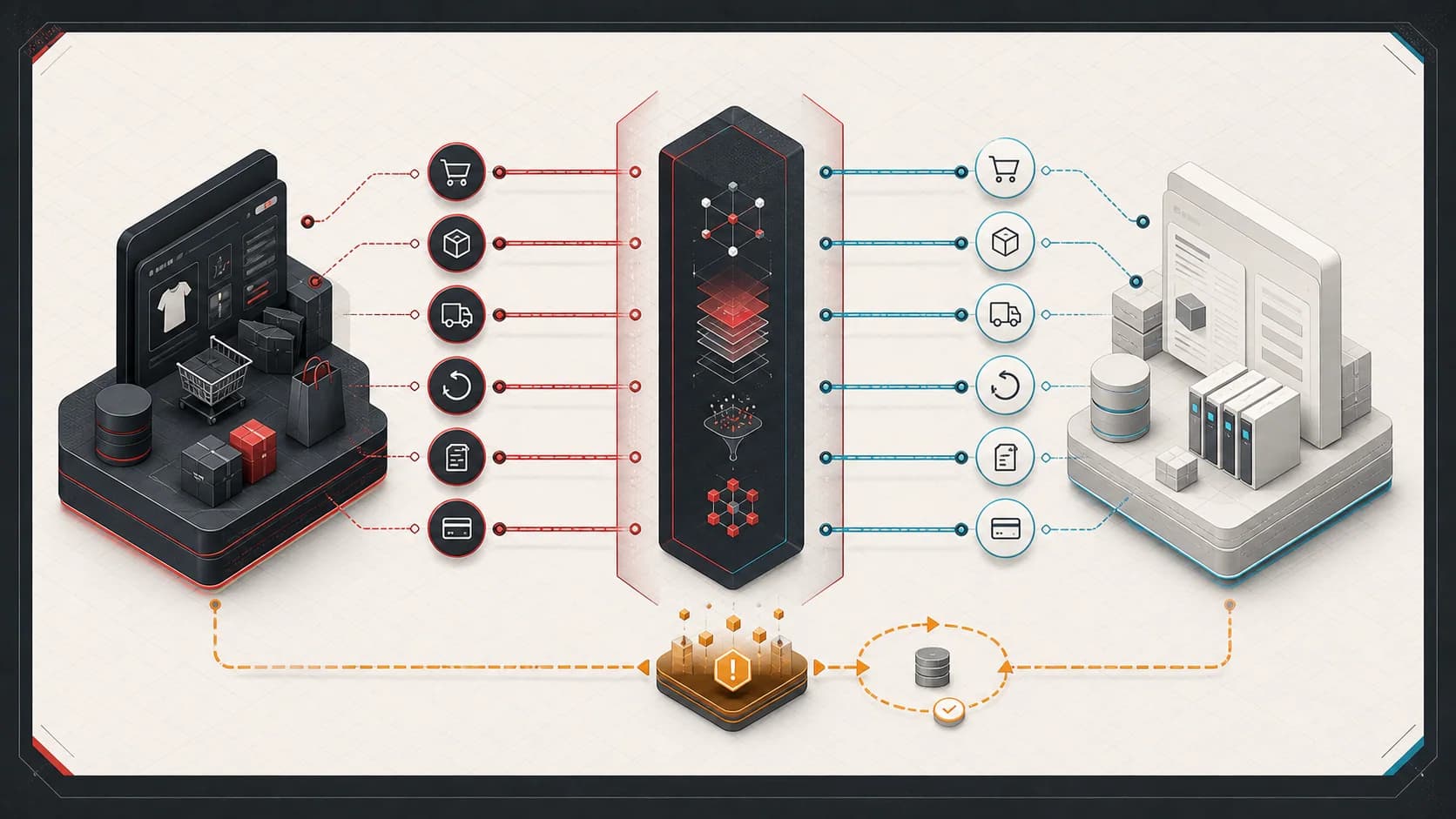
When Shopify and NetSuite inventory disagree, the business may oversell stock, hide available products, or spend each morning repairing quantities manually. Replacing the connector before understanding the discrepancy can carry the same problem into a new integration.
Start by distinguishing a failed update from a disagreement about what the quantity means. “Which system owns inventory?” sounds like one question. It is usually five:
- Which system owns physical on-hand quantity?
- Which system owns reservations and allocations?
- Which system decides what is sellable online?
- Which system assigns fulfillment locations?
- Which system records financial inventory adjustments?
If the architecture answers all five with “both Shopify and NetSuite,” the integration is likely to oscillate, overwrite intentional adjustments, or hide drift until an oversell.
The goal is not to keep two inventory numbers equal at every millisecond. The goal is to define each inventory fact, its owner, its acceptable staleness, and how projections are reconciled.
Diagnose an inventory sync discrepancy before replacing the connector
Start with one affected SKU and location. Record the source quantity, its definition and timestamp, the quantity the integration intended to publish, and the quantity Shopify currently exposes. Compare values from the same point in the order and fulfillment lifecycle wherever possible.
- Quantities differ after a successful sync. Inspect the quantity field, commitments, reservations, and safety stock. Determine whether the calculation matches the business's sellable quantity policy.
- Only some SKUs or locations differ. Inspect item identifiers, location mappings, exclusions, and per-item errors. Determine whether mapping or eligibility rules need repair.
- Updates arrive late. Inspect the source timestamp, last successful publication, and processing backlog. Determine whether the delay exceeds the business's freshness requirement.
- A correction is later lost. Inspect update history, publishing systems, and delayed events. Determine whether competing writers or stale updates can replace authoritative state.
Connector behavior matters. For Oracle NetSuite Connector, Oracle documents inventory flowing from NetSuite to the storefront, with available quantity used when syncing from NetSuite locations rather than a custom field. Updates are not instantaneous. Check the NetSuite Connector inventory troubleshooting guidance before treating an expected behavior as a defect. Other connectors and custom integrations need their own configuration and delivery guarantees checked.
Keep a working connector when a mapping, calculation, or recovery change resolves the problem. Consider replacement only after identifying a requirement the current integration cannot meet reliably. If the team repeatedly repairs quantities without finding the cause, a Commerce Integration Audit can review the ownership, timing, and recovery boundaries and produce a prioritized remediation plan.
Bidirectional synchronization is not an ownership model
Consider this loop:
- NetSuite reports 12 units.
- The integration publishes 12 to Shopify.
- Shopify accepts an order and reduces available quantity to 11.
- Another sync reads 11 from Shopify and writes it to NetSuite.
- NetSuite receives a warehouse adjustment to 10.
- A delayed Shopify event writes 11 back.
Every update was locally reasonable. The system as a whole lost the warehouse adjustment.
Bidirectional writes need explicit command ownership and conflict rules. Without them, “last write wins” is an accidental business policy based on network timing.
Start by naming the inventory facts
Inventory terminology varies across organizations and configurations. Write down the model before choosing the API calls.
| Inventory fact | Typical meaning | Possible owner |
|---|---|---|
| On hand | Physically recorded units at a location | ERP or warehouse system |
| Committed | Units assigned to existing demand | ERP, OMS, or allocation service |
| Available | On hand reduced by commitments and account rules | ERP projection |
| Reserved | Units temporarily held for carts or orders | Commerce or reservation service |
| Safety stock | Units intentionally withheld from sale | Availability policy |
| Sellable | Quantity the channel is allowed to offer | Commerce availability projection |
| In transit | Units moving between locations | ERP or warehouse system |
| Damaged / quarantine | Units present but unavailable | Warehouse or ERP quality workflow |
NetSuite field names, saved-search formulas, and SuiteQL results depend on the account's inventory features, item types, locations, bins, lots, and custom workflow. Shopify's inventory representation has its own location and state semantics. Do not collapse either vendor model into a single integer without documenting what was lost.
The existing NetSuite inventory SuiteQL guide shows account-specific query patterns. It is a data-access reference, not a universal inventory ownership policy.
A practical ownership model
A common—but not universal—model is:
- NetSuite or the warehouse system owns physical on-hand and accounting adjustments.
- An order or allocation capability owns reservations.
- An availability policy calculates sellable quantity per channel and location.
- Shopify receives a projection of sellable quantity.
- Reconciliation compares the projection with what Shopify currently exposes.
In a smaller operation, the availability policy may be a deterministic formula inside the integration:
sellable = max(0, available - safety_stock - external_reservations)
In a more complex operation, an OMS or inventory service may own allocation across retail, wholesale, marketplaces, and stores.
The correct design depends on where demand is accepted and where physical inventory is controlled. What matters is that each fact has one command owner.
Locations are business rules, not IDs to copy
Shopify and NetSuite location records rarely line up by accident.
A location mapping needs to explain:
- Whether one physical site maps to one or several channel locations
- Whether retail stores participate in online fulfillment
- Which locations are excluded from sellable inventory
- How virtual, drop-ship, 3PL, damaged, quarantine, and in-transit locations behave
- Which time zone and operating calendar applies
- What happens when a location is added, renamed, merged, or retired
Use stable mapping identifiers. Do not rely on display names.
Location eligibility should be configuration with validation and audit history when the variations are known. If a new NetSuite location appears without a mapping, quarantine it from publication rather than guessing.
Available and on-hand answer different questions
Publishing on-hand inventory directly can oversell units already committed to orders or reserved for another channel.
Publishing NetSuite “available” without understanding the account can also be wrong. The value may reflect commitments and location rules differently from the business's channel allocation policy.
For each published number, document:
- Source fields and query
- Included item and location types
- Reservation and commitment behavior
- Safety stock or channel buffer
- Rounding and unit-of-measure rules
- Maximum acceptable age
- Behavior when the source is unavailable
If the source query fails, “publish zero everywhere” may protect overselling but cause a major revenue outage. “Keep the last known value” preserves sales but increases stale-inventory risk. Choose and monitor the failure policy deliberately.
Reservation timing changes the model
When does the business consider inventory committed?
Possible points include:
- Cart reservation
- Checkout start
- Payment authorization
- Shopify order creation
- Fraud review completion
- NetSuite sales-order acceptance
- Warehouse allocation
Earlier reservation reduces oversell risk but holds more inventory for abandoned or rejected transactions. Later reservation improves availability but increases contention.
The integration needs compensating behavior when a reservation is released, an order is cancelled, payment fails, fraud rejects the order, or NetSuite cannot accept the order.
Do not assume an order webhook and an inventory update will arrive in causal order. Shopify's webhook documentation notes that ordering is not guaranteed. Compare source versions or timestamps, and prefer recalculating the current projection over applying blind increments and decrements from late events.
Fulfillment should consume the correct quantity once
Order acceptance, NetSuite commitment, warehouse allocation, and physical shipment are different states. If each state decrements the same published quantity independently, inventory can be double-counted.
Define whether sellable inventory is reduced by:
- The commerce order
- The reservation
- The ERP commitment
- The fulfillment
Usually one state owns the reduction and later states confirm or convert it. The answer varies with the fulfillment and reservation architecture.
Partial fulfillment, split shipment, substitution, bundle explosion, and location reassignment make line-level identity important. A parent bundle sold in Shopify may consume several component SKUs in NetSuite. The availability calculation must use the same bundle/component contract as order creation.
Returns do not immediately mean sellable inventory
A refund, a return authorization, carrier receipt, warehouse receipt, inspection, restock, and financial credit can happen at different times.
Inventory should return to sellable stock only when the owning operational process says the unit is available. A Shopify refund flag alone may not prove that:
- The physical item was returned
- The item arrived at a sellable location
- Inspection passed
- The correct lot, bin, or serial record was updated
- The refund included an inventory movement at all
Keep financial refund state separate from physical inventory state. The Shopify-to-NetSuite refund architecture explains that boundary in more detail.
Adjustments need origin and reason
Cycle counts, damage, shrinkage, receiving corrections, transfer errors, and administrative adjustments should carry:
- Stable operation identity
- Item and location identity
- Quantity delta or resulting quantity
- Reason code
- Source system and operator
- Effective time
- Related order, return, transfer, or count when applicable
If Shopify can initiate an adjustment, translate it into a command owned by the inventory system. Do not let a channel projection overwrite the authoritative ledger without an explicit business operation.
Event-driven updates and scheduled sync solve different problems
Event-driven publication reduces latency. Scheduled synchronization provides completeness and recovery.
A practical design often uses both:
- Inventory-changing events mark affected item/location pairs dirty.
- A durable worker recalculates the current sellable projection.
- The worker publishes the desired quantity to Shopify idempotently.
- A scheduled reconciliation scans for missed or drifted pairs.
Recalculate current state rather than applying a sequence of deltas when possible. Delta processing is more sensitive to loss, duplication, and reordering.
Batch updates can be efficient, but batches need per-item outcomes. One invalid SKU should not hide the success or failure of every other update.
Reconciliation is the control plane for drift
Inventory drift is not one metric. Classify it:
- Source drift: physical or ERP state differs from expected inventory accounting
- Projection drift: calculated sellable quantity differs from its inputs
- Publication drift: Shopify quantity differs from the intended projection
- Mapping drift: items or locations cannot be matched
- Staleness: the numbers agree but are older than the accepted freshness window
A reconciliation record should retain expected value, actual value, source timestamps, mapping version, last successful publication, and the recovery action.
Not every difference should auto-correct. A large or unexplained adjustment may require inventory operations to review the source before the integration publishes another value.
Recovery should be bounded and visible
Operators need safe actions such as:
- Recalculate one SKU across all eligible locations
- Republish one item/location projection
- Correct a location or item mapping
- Hold a SKU from publication
- Accept an intentional difference with a reason
- Reconcile a bounded date or item range
Every action should use the same calculation and idempotency path as automated processing. Avoid a separate admin code path that applies raw quantity overrides without audit evidence.
During migration, run the old and new projections in shadow mode, compare outputs, classify differences, then cut over publication ownership. Do not let two publishers write the same Shopify inventory state concurrently.
The decision to document
The useful source-of-truth statement is specific:
NetSuite owns physical on-hand and accounting adjustments. The availability policy owns sellable quantity after commitments, reservations, safety stock, and location eligibility. Shopify holds the channel projection. Reconciliation detects publication drift.
Your statement may differ. If it names the facts, owners, timing, and recovery path, the integration can be reasoned about.
For a broader review of order, payment, inventory, fulfillment, refund, and operational boundaries, see Shopify NetSuite integration consulting.